AI can make you incredibly productive—but it can also create a surprisingly messy workflow.
You may use ChatGPT for writing, Claude for research, Gemini for brainstorming, image generators for visuals, video tools for content, and voice platforms for audio. The more AI tools you use, the more useful information gets scattered across different platforms.
That was the main reason I decided to test Smart AI Manager for 10 days.
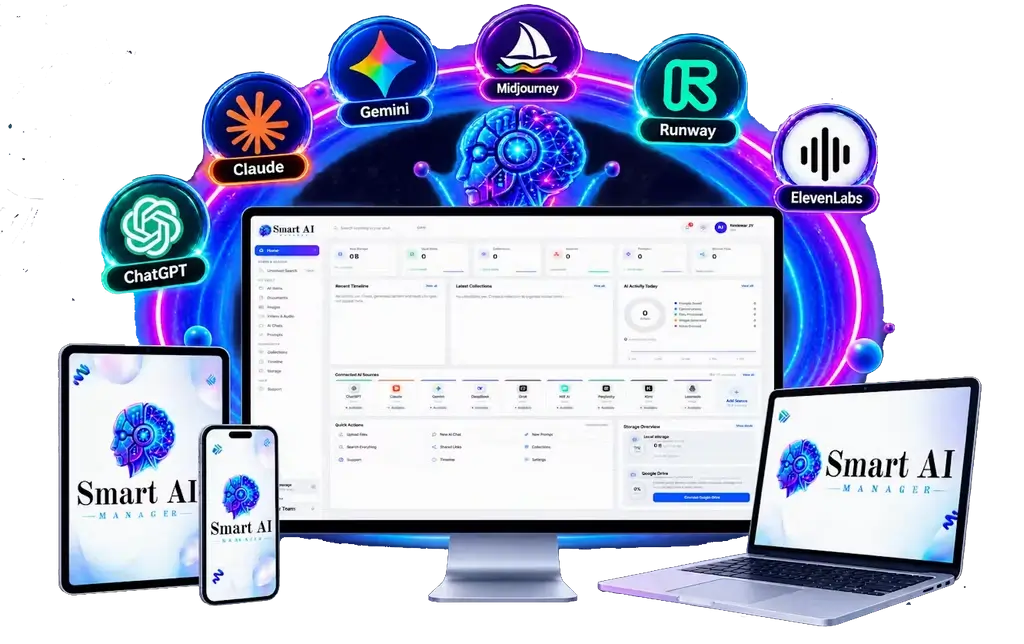
Instead of replacing the AI tools I already use, Smart AI Manager is designed to act as an organizational layer around them. Its goal is to help capture, store, organize, search, and retrieve useful AI-generated work from one central environment.
But does it actually make a difference?
In this Smart AI Manager Review, I’ll explain what the platform is, how it works, what I noticed during my 10-day test, its main features, advantages and limitations, pricing, ideal users, and whether I think it is worth considering.
Quick answer: Smart AI Manager is primarily an AI-work organization and retrieval platform. Its biggest appeal is helping users manage scattered AI conversations, prompts, research, documents, and creative assets instead of leaving everything inside separate applications.

What Is Smart AI Manager?
Smart AI Manager is an AI-focused organization and memory platform designed for people who work with multiple AI applications.
Rather than trying to replace ChatGPT, Claude, Gemini, Midjourney, Runway, ElevenLabs, or other specialized tools, it is positioned as a central place for managing the work created with them.
You can think of it as an organizational layer for your AI workflow.
For example, you might use:
- ChatGPT for content and ideas
- Claude for research
- Gemini for additional brainstorming
- An image generator for graphics
- Runway for video
- ElevenLabs for voice
- Other applications for specialized tasks
Without an organization system, all that work can become fragmented.
The central idea behind this Smart AI Manager Review is therefore quite simple: create wherever you want, but make your valuable AI work easier to find and reuse later.
That distinction is important.
Smart AI Manager does not make your favorite chatbot automatically smarter. It does not guarantee better AI responses. Instead, it focuses on what happens after you generate useful information.
And for heavy AI users, that can become a significant problem.
Why I Tested Smart AI Manager for 10 Days
I didn’t want to test Smart AI Manager simply because it was another product with “AI” in its name.
I wanted to see whether it solved a real workflow problem.
My biggest issue was fragmentation.
I could remember creating useful research, prompts, ideas, or campaign material, but I couldn’t always remember where I created it.
Sometimes I remembered the topic but not the conversation title. Sometimes I remembered the AI platform but not the exact chat. And sometimes finding an old piece of information required scrolling through an enormous conversation.
That creates unnecessary work.
So, during my 10-day Smart AI Manager Review, I concentrated on three practical questions:
- Can useful AI work be captured easily?
- Can it be organized around actual projects?
- Can I find it again without remembering exactly where it was created?
Those questions matter more to me than a long list of features.
An organization tool is only useful if it actually reduces organizational work.
Smart AI Manager Review: My First Impression
My first impression was that Smart AI Manager is solving a problem that becomes more obvious as your AI usage increases.
If you only use one chatbot occasionally, you may not need a dedicated AI organization platform.
But if you regularly move between several AI applications, the situation changes.
Research might be in one platform. Copy might be in another. Images may be stored somewhere else. Client instructions might be in a document. Prompts may exist inside old conversations.
The individual tools can work perfectly well while the overall workflow becomes messy.
That is where Smart AI Manager becomes interesting.
The platform’s approach is less about generating more information and more about organizing information you’ve already generated.
That was the first thing I liked about the concept.
The Smart AI Manager Vault
The Vault is essentially the central storage area for your useful AI work.
Instead of leaving valuable material scattered across different AI applications, the Vault is designed to give it a centralized home.
This could include:
- AI conversations
- Prompts
- Research
- Documents
- Images
- Videos
- Audio
- Bookmarks
- Client resources
- Project material
The important point is that the Vault isn’t positioned as ordinary file storage.
The goal is to make your information easier to retrieve and connect with related work.
For example, imagine you’re working on a marketing campaign.
You might have:
- competitor research from one AI platform
- copywriting ideas from another
- image prompts from an image generator
- video concepts from another tool
- client notes in a document
Traditional storage often makes you think in terms of folders and filenames.
Smart AI Manager is designed to encourage thinking in terms of projects, relationships, and meaning.
That can be a more natural way to organize AI-generated information.
AI Brain: Smart AI Manager’s Memory Layer
One of the most interesting features I explored during this Smart AI Manager Review was the AI Brain.
The AI Brain is designed around semantic memory.
That means you’re not necessarily dependent on remembering an exact filename or phrase.
Suppose you created research about a client’s advertising strategy six weeks ago.
You may not remember the exact title.
You may simply remember:
“I created research about Facebook advertising for that client.”
A semantic search system is intended to understand that meaning and help surface relevant information.
This becomes more valuable as your archive grows.
Finding something among 20 items isn’t difficult.
Finding something among hundreds or thousands of conversations, prompts, files, and project resources is a completely different challenge.
That’s where an AI-powered memory layer can potentially save time.
However, I would still treat AI organization as an assistant rather than an infallible filing system.
Important information should always be checked.
Universal Search
The Universal Search feature works alongside the AI Brain.
Instead of opening multiple AI applications and searching through each one individually, the idea is to search your centralized AI material from one place.
According to the product positioning, searches can cover different types of information, including conversations, prompts, documents, images, videos, bookmarks, and related project assets.
This was one of the more important features in my Smart AI Manager Review because storage isn’t the real challenge.
Retrieval is.
Saving something today is easy.
Finding it three months later when you only vaguely remember what it was about is much harder.
Universal Search attempts to solve that problem.
Filters can also help narrow information according to factors such as projects, clients, dates, or originating platforms.
For anyone managing a large AI archive, that can become increasingly useful.
Smart Collections
Another feature worth highlighting is Smart Collections.
Most organization systems require users to manually create folders, rename files, assign categories, and maintain everything over time.
That works until the workload becomes too large.
Then organization itself becomes another task.
Smart Collections are intended to reduce that manual maintenance by helping group related content automatically.
The platform also promotes automated tagging and summarization.
The concept makes sense.
If I have to manually categorize every conversation I save, I’ll eventually stop doing it.
If the system can help organize material automatically, maintaining the archive becomes easier.
That is an important part of the overall Smart AI Manager proposition.
Project Workspaces
Project Workspaces are particularly useful for marketers, freelancers, creators, and agencies.
Consider a client campaign.
You might use five different AI applications while producing the project.
From the perspective of those applications, the work is separate.
From your perspective, everything belongs to the same client campaign.
Project Workspaces are designed to reconnect those separate assets around the actual project.
This is one of the areas where my Smart AI Manager Review became more positive.
I generally prefer organizing work according to what I’m working on rather than which software created it.
If the project is “Client Product Launch,” then research, copy, images, video ideas, prompts, and supporting material should ideally be associated with that project.
That’s the organizational philosophy Smart AI Manager is trying to support.
Browser Capture Extension
A knowledge-management platform can have amazing search capabilities, but there’s still one major problem:
How easily can you get information into it?
Smart AI Manager addresses this with browser-based capture.
The extension is designed to let users save useful information into the Vault while working inside their browser.
That sounds like a small feature, but convenience matters.
If saving something takes too many steps, people stop doing it.
A quick capture workflow makes it more realistic to build a useful archive over time.
For marketers and creators constantly switching between AI applications, this could be particularly convenient.
Automated Tags and Summaries
Smart AI Manager also uses AI to help organize saved material.
The platform is designed to automatically generate tags and summaries.
Consider a long AI research conversation.
It might contain thousands of words, dozens of messages, multiple ideas, and several useful conclusions.
Saving the complete conversation preserves everything—but it doesn’t necessarily make the information easy to revisit.
A summary can give you a quick idea of what’s inside.
Tags can provide another way to find related material later.
During my Smart AI Manager Review, I found this concept especially relevant for large archives.
Still, I wouldn’t rely on automated classification blindly.
For important client work or sensitive projects, it’s smart to review how information has been categorized.
Timeline Feature
The Timeline feature initially looked less important to me.
Then I thought about how people actually remember previous work.
Sometimes you don’t remember the filename.
You don’t remember the exact words.
You don’t even remember which platform you used.
You remember when you worked on it.
For example:
- “I created this just before the launch.”
- “I researched this earlier this month.”
- “Those images were generated last week.”
A chronological Timeline gives you another path back to your information.
It can also help reconstruct how a project developed from research to prompts, drafts, revisions, and final assets.
That makes Timeline a useful supporting feature rather than just another dashboard element.
What Changed During My 10-Day Test?
The biggest change wasn’t that Smart AI Manager made my AI tools generate better content.
It didn’t.
Instead, it changed how I thought about AI output.
Before using an organization system, it’s easy to treat an AI conversation as disposable.
Ask a question.
Get the answer.
Use it.
Move on.
But some AI conversations contain valuable assets.
A good prompt can be reused.
Research can support future projects.
A successful campaign idea can inspire another campaign.
A detailed process can become a repeatable workflow.
Client research can become part of a longer-term knowledge base.
During my Smart AI Manager Review, I started viewing some AI output less like temporary chat and more like reusable digital assets.
That is where the platform’s concept became much more compelling.
Smart AI Manager for Freelancers
Freelancers could be one of the strongest audiences for Smart AI Manager.
A freelancer might simultaneously manage:
- client research
- proposals
- copy
- prompts
- revisions
- creative assets
- instructions
- deliverables
Now multiply that across five, ten, or twenty clients.
Finding previous information can become difficult.
Smart AI Manager’s combination of Vault storage, project organization, search, Smart Collections, and browser capture could help freelancers maintain a more centralized AI workspace.
The commercial-use positioning may also be interesting for freelancers who want to offer AI organization or related services to clients.
However, a commercial license doesn’t automatically create customers.
You still need a service offer, marketing strategy, prospects, and the ability to deliver quality work.
Smart AI Manager for Agencies
Agencies have an even larger organizational challenge.
Multiple team members may use multiple AI tools across multiple client accounts.
Without proper organization, useful research and creative work can disappear into individual conversations.
A centralized system could potentially help agencies connect AI assets with the appropriate client or project.
That said, agencies should examine the exact features included in their chosen plan, particularly if collaboration and team functionality are important.
The Smart AI Manager Review takeaway here is that the platform appears more useful as AI usage becomes broader and more collaborative.
Smart AI Manager for Content Creators
Content creators generate enormous amounts of AI material.
One YouTube video might require:
- topic research
- title ideas
- hooks
- scripts
- thumbnail concepts
- image prompts
- visuals
- voiceovers
- descriptions
- social posts
Then the process starts again for the next video.
After several months, you could have hundreds of useful ideas scattered across different tools.
Smart AI Manager gives creators a way to associate those resources with projects and search previous work later.
That could make old ideas much easier to reuse.
Smart AI Manager vs ChatGPT
It’s important not to treat Smart AI Manager and ChatGPT as direct competitors.
They solve different problems.
ChatGPT is primarily an AI assistant for generating, analyzing, writing, brainstorming, and working with information.
Smart AI Manager is focused on organizing and retrieving AI-generated work.
If ChatGPT is the only AI tool you use and its existing history meets your needs, you may not need another layer.
But if you use multiple AI platforms, the case becomes stronger.
That’s an important distinction in this Smart AI Manager Review.
Smart AI Manager vs Google Drive
Google Drive is excellent for storing documents and files.
Smart AI Manager is positioned differently.
Drive is a general-purpose storage and collaboration platform.
Smart AI Manager is designed specifically around AI-generated work, including conversations, prompts, projects, and semantic retrieval.
You don’t necessarily need to choose one over the other.
They can serve different purposes.
Drive can remain your general file-storage system while Smart AI Manager becomes a dedicated organizational layer for AI work.
Smart AI Manager vs Notion
Notion is another obvious comparison.
A skilled Notion user can create databases, prompt libraries, project systems, knowledge bases, templates, and AI workflows.
The advantage of Smart AI Manager is specialization.
Instead of designing your entire AI organization system manually, the product is designed around capturing and organizing AI-generated work from the beginning.
If you already have a sophisticated Notion system that works perfectly, switching may not be necessary.
But if you want a more specialized solution without building everything yourself, Smart AI Manager may be worth considering.
AI Usage Insights
Smart AI Manager also promotes an Insights Dashboard designed to provide information about AI activity, storage, platform usage, and projects.
I wouldn’t consider analytics the primary reason to purchase the platform.
The more important features, in my view, are:
- Vault
- AI Brain
- Universal Search
- Smart Collections
- Project Workspaces
- Browser Capture
Still, analytics can be useful for people managing a larger AI workflow.
Understanding which platforms, projects, or activities consume the most time could help with workflow decisions.
Privacy and Security Considerations
This is one area I would not ignore.
When you centralize AI work, you may also centralize sensitive information.
That could include client information, proprietary research, business strategies, unpublished content, or other private material.
The vendor describes privacy protections around Vault information, but buyers should still review the current privacy policy and security documentation before storing sensitive material.
Ask questions such as:
- What information is stored?
- How is it processed?
- Who can access it?
- What sharing controls exist?
- How long is data retained?
- Is the platform appropriate for confidential client material?
Convenience is valuable, but security should come first.
Smart AI Manager Pricing
At the time of this review, the front-end offer provided in the supplied product information is advertised at $14.95 as a one-time payment.
The promotion also mentions the coupon SMART2OFF for an early-bird discount.
There is an optional Business Upgrade, and the sales funnel may include additional offers.
The promotional material also mentions bonuses such as:
- AI Brain Blueprint
- Project templates
- AI Agency Client Onboarding Kit
- Training resources
- Prompt collections
A 30-day money-back guarantee is also advertised.
Because launch prices, coupons, bonuses, upgrades, and availability can change, buyers should verify the current checkout page before purchasing.
Smart AI Manager Pros and Cons
Pros
- Centralizes AI-generated work
- Designed for multi-platform AI workflows
- AI Brain provides semantic retrieval
- Universal Search can reduce scattered searching
- Smart Collections can reduce manual organization
- Project Workspaces connect assets to projects
- Browser capture makes saving information easier
- Automated tags and summaries can improve organization
- Timeline provides chronological retrieval
- Potentially useful for freelancers and agencies
- One-time front-end pricing is attractive based on the supplied offer
Cons
- May be unnecessary for casual AI users
- Adds another platform to your workflow
- AI organization isn’t guaranteed to be perfect
- Sensitive information requires careful privacy review
- Some functionality may depend on higher-tier plans
- Still requires the underlying AI services you use
- Commercial licensing does not guarantee clients or income
Who Should Use Smart AI Manager?
Based on this Smart AI Manager Review, I’d consider it most relevant for:
- Affiliate marketers
- Freelancers
- Content creators
- Digital marketers
- Agencies
- Coaches and consultants
- AI-heavy business owners
- Researchers
- Users working across several AI platforms
The common factor isn’t the job title.
It’s AI workflow complexity.
The more AI-generated information you create across different platforms, the more useful centralized organization can become.
Who Should Avoid Smart AI Manager?
You probably don’t need Smart AI Manager if you only use one AI application occasionally.
It may also be unnecessary if your current organization system already lets you find everything quickly.
And it isn’t the right product if you’re expecting it to automatically generate income or make AI tools produce better answers.
Its job is organization and retrieval.
The value comes from saving time and reducing fragmentation—not from promising automatic profits.
Is Smart AI Manager Worth It?
So, is Smart AI Manager worth considering?
After 10 days, my answer is potentially yes—if you’re a heavy AI user.
The software makes the most sense when your AI workflow has become fragmented.
If you’re constantly jumping between ChatGPT, Claude, Gemini, image generators, video tools, voice platforms, documents, and client projects, having a centralized organizational layer can make a lot of sense.
If you only use one chatbot occasionally, the benefit is much smaller.
That’s the most important conclusion from this Smart AI Manager Review.
Don’t buy it simply because it’s marketed as an AI product.
Buy it if the underlying problem—finding and reusing your scattered AI work—is actually costing you time.
Smart AI Manager Review: My Results After 10 Days
After 10 days, my biggest takeaway wasn’t that Smart AI Manager helped me create more AI content.
It helped me think differently about the content I was already creating.
Some AI output is disposable.
But some of it has long-term value.
A powerful prompt can become reusable intellectual property.
Research can support multiple projects.
A successful campaign structure can become a template.
Client conversations can become useful project history.
Creative concepts can be revisited months later.
The problem is that these assets are often trapped inside separate AI platforms.
That is the problem Smart AI Manager is trying to solve.
The Vault provides a central home.
The AI Brain is designed to make information easier to retrieve by meaning.
Universal Search aims to bring different types of AI work into one search experience.
Smart Collections can reduce manual organization.
Project Workspaces connect information around actual projects.
The Browser Capture feature helps get useful material into the system.
And the Timeline provides another way to locate past activity.
None of these features magically make AI better.
They address something different: the growing organizational cost of using AI everywhere.
Final Verdict: Is Smart AI Manager Worth It?
My final verdict in this Smart AI Manager Review is that the platform has a practical use case for people who have already embraced multiple AI tools.
I like the core concept because it addresses a genuine problem.
AI makes creating information easier, but creating more information also makes organization more important.
Without a system, valuable research, prompts, conversations, and creative assets can disappear into different applications.
Smart AI Manager attempts to provide that missing layer.
I particularly like the combination of centralized storage, semantic search, project organization, browser capture, automated categorization, and Timeline functionality.
However, I wouldn’t describe it as something every AI user needs.
If your AI workflow is simple, you may not get enough value from another platform.
I would also recommend reviewing privacy and security details carefully before storing confidential information.
Most importantly, I wouldn’t judge Smart AI Manager based on exaggerated productivity or income promises.
Judge it by a much simpler question:
Can it help you find and reuse your AI work faster than you can without it?
For heavy AI users, marketers, freelancers, creators, and agencies, that could be enough to make Smart AI Manager worth considering.
For occasional AI users, probably not.
After my 10-day test, I see Smart AI Manager less as another AI generator and more as an organizational memory layer for an increasingly fragmented AI workflow.
And that’s where I think its real value lies.