If you are promoting affiliate offers but struggling to turn clicks into buyers, you may be facing a simple problem: your visitors are reaching the offer before they are ready to buy.
That is where webinars can help.
Instead of sending people directly to an affiliate sales page, a webinar can educate the visitor, explain the problem, introduce the solution, build trust, handle objections, and then send them to the offer with more context.
The problem? Creating a quality webinar traditionally requires a script, slides, voiceover, video production, hosting, CTA setup, and analytics.
WebinarJack AI attempts to simplify that entire process.
In this WebinarJack AI Review, I looked at the platform from a practical marketing perspective and used it for 3 days to understand whether its sales-page-to-webinar workflow could genuinely save time.
My focus was not on unrealistic income promises. I wanted to answer a more useful question:
Can WebinarJack AI help marketers turn an existing sales page into a usable evergreen webinar without spending hours creating everything manually?
After testing the workflow, my answer is yes, it can be a useful webinar-production shortcut—but it is not a magic sales or commission generator.

What Is WebinarJack AI?
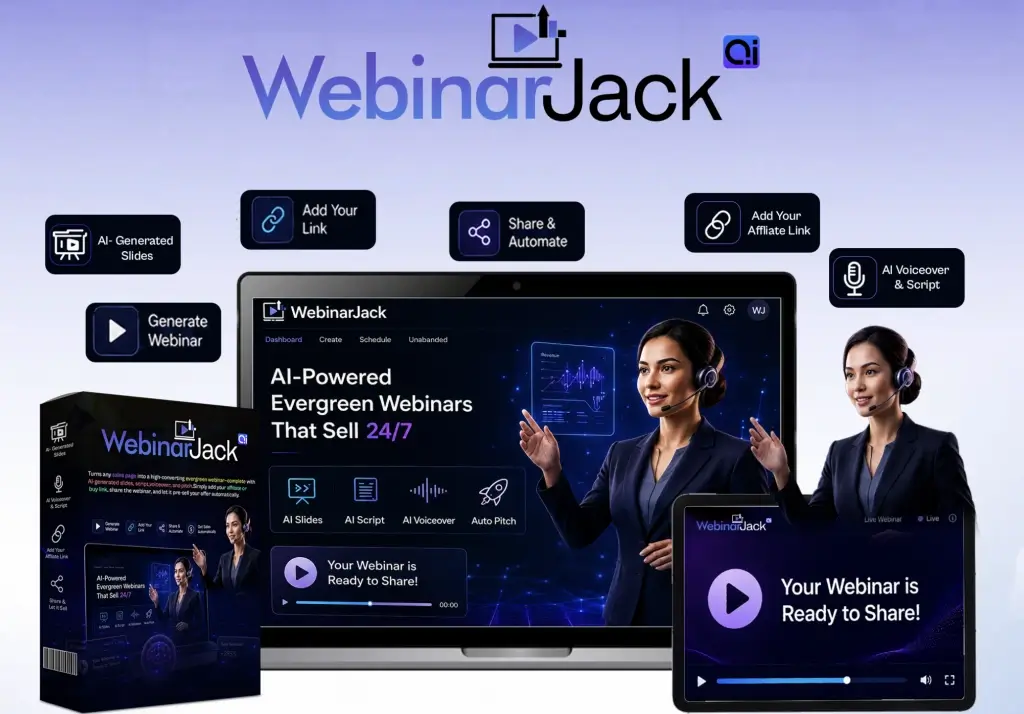
WebinarJack AI is an AI-powered webinar creation platform designed to turn a sales page URL into an evergreen webinar.
The basic concept is simple.
You provide a sales page URL, and the platform uses the information on that page to help create the main components of a webinar, including:
- Webinar script
- Presentation slides
- AI voiceover
- Hosted webinar page
- CTA integration
- Offer link
- Analytics
- Editing and regeneration options
Instead of starting with a blank document and asking yourself what to say, what slides to create, and how to structure the presentation, the platform uses the existing offer as the starting point.
That makes WebinarJack AI particularly interesting for affiliate marketers, digital product sellers, coaches, consultants, agencies, freelancers, and other online marketers.
The bigger idea is to replace the traditional “click → sales page → buy” journey with something closer to:
Traffic → Webinar → Education → Trust → CTA → Sales Page
That extra step can be useful when an offer requires more explanation before someone feels comfortable purchasing.
WebinarJack AI Review: What Problem Does It Solve?
One of the biggest problems in affiliate marketing is the bare-link problem.
Imagine two marketers promoting the same product.
Marketer A shares:
“Check out this product: [affiliate link]”
Marketer B sends visitors to a webinar that explains the problem, introduces the product, discusses its benefits, answers common objections, and then provides the offer link.
The second approach gives the visitor more context.
This does not automatically mean the second marketer will make more sales. However, the webinar creates an opportunity to warm up cold traffic before asking for the purchase.
That is the problem WebinarJack AI is designed to address.
Instead of requiring marketers to manually create a webinar from scratch, it attempts to automate much of the production process.
This can be especially useful when you want to test multiple offers without spending several days creating a presentation for each one.
How Does WebinarJack AI Work?
The WebinarJack AI workflow can be understood in three simple stages.
Step 1: Choose Your Offer
First, choose the product, service, course, software, or affiliate offer you want to promote.
The sales page should contain enough information for the AI to understand the offer.
Step 2: Enter the Sales Page URL
You then provide the sales page URL.
The platform uses the page as the foundation for generating the webinar content.
It can identify important information such as:
- The primary problem
- Product positioning
- Main benefits
- Offer details
- Bonuses
- Target audience
- Call to action
- Promotional messaging
Step 3: Review and Publish
The AI then creates the webinar components.
You can review the script, slides, voiceover, CTA, and hosted page before publishing.
This final step is extremely important.
I would not recommend publishing AI-generated promotional content without reviewing it first.
Check claims, pricing, bonuses, guarantees, links, wording, and overall accuracy.
AI can accelerate production, but human review is still necessary.
WebinarJack AI Review: My 3-Day Experience
For my WebinarJack AI Review, I focused on the actual workflow rather than expecting instant commissions.
I wanted to see whether the platform could reduce the work involved in creating a webinar.
Day 1: Testing the Creation Process
On the first day, I focused on the sales-page-to-webinar process.
The biggest advantage was the fact that I did not have to start with a blank page.
Normally, creating a webinar requires deciding:
- What should the opening hook be?
- What problem should I explain?
- What should the presentation structure look like?
- Which benefits should I highlight?
- When should I introduce the offer?
- Where should the CTA appear?
Using the sales page as the starting point gives the AI a clear source of information.
That made the process feel considerably faster.
Day 2: Reviewing the Webinar
On the second day, I focused on quality.
I reviewed the script structure, presentation flow, slides, voiceover, CTA, and overall messaging.
This is where I realized that the biggest value of WebinarJack AI is not necessarily that it eliminates human involvement.
Instead, it reduces the amount of work required to create the first usable version.
You can then refine that version.
Day 3: Looking at Practical Marketing Use
On the third day, I considered where the tool could realistically fit into a marketing campaign.
The most obvious use case is affiliate marketing.
But I could also see potential applications for:
- Coaches
- Consultants
- Agencies
- Freelancers
- Course creators
- Digital product sellers
- Online marketers
The commercial-use angle is particularly interesting for service providers who want to create webinars for clients.
WebinarJack AI Features
The platform combines several components that would normally require separate tools or manual work.
1. URL-to-Webinar Engine
The URL-to-webinar workflow is arguably the central feature.
Instead of writing an entire presentation from scratch, you provide a sales page and allow the AI to use that information to create the webinar foundation.
This can be valuable when you are working with multiple offers.
Rather than spending hours researching every product and manually creating every presentation, you can use the sales page as your starting point.
However, the quality of the final presentation depends heavily on the quality and clarity of the source material.
If the sales page contains exaggerated or outdated information, you should not automatically repeat those claims.
Always verify important details before publishing.
2. AI Webinar Script Builder
Writing a persuasive webinar script can be one of the hardest parts of the process.
A good webinar needs more than a list of product features.
It should have a logical progression.
For example:
Problem → Awareness → Opportunity → Solution → Benefits → Offer → Objections → CTA
The AI script builder helps create this initial structure.
This is useful for beginners who may understand their product but do not know how to organize a webinar presentation.
I would still edit the script before publishing.
The first AI-generated version may sound generic or overly polished. Adding audience-specific language, clearer explanations, and your own perspective can make the webinar more believable.
3. AI Slide Builder
Slides support the spoken presentation.
Without visual structure, a webinar can become difficult to follow.
The AI slide builder helps turn the presentation structure into a visual sequence.
This can save time for users who do not want to design every slide manually.
However, you should still inspect the slides.
Look for:
- Readability
- Spacing
- Headline clarity
- Consistent messaging
- Unnecessary text
- Unsupported claims
- Mobile presentation quality
A webinar is supposed to build trust. A rushed or cluttered presentation can have the opposite effect.
4. AI Voiceover
One of the major barriers to creating webinars is recording your own voice.
Not everyone has a microphone, recording space, confidence, or desire to appear on camera.
The AI voiceover feature addresses that problem.
Instead of recording the presentation manually, you can use AI-generated narration.
This makes the process more accessible to beginners.
Still, listen to the entire presentation before publishing.
Pay attention to:
- Pronunciation
- Pacing
- Pauses
- Tone
- Emphasis
- Naturalness
For some audiences, an AI voice may work perfectly well. For premium campaigns, you may prefer a more personalized presentation.
5. Hosted Webinar Pages
Creating the webinar is only part of the process.
You also need somewhere to send visitors.
The hosted page feature helps solve that problem.
Instead of separately setting up a page and embedding your presentation, the platform provides a hosted environment for the webinar.
This can make testing faster.
Before sharing the page, check it on both desktop and mobile devices and verify that your CTA works correctly.
6. CTA and Offer Link Integration
The purpose of an affiliate webinar is ultimately to move qualified viewers toward the offer.
That means the CTA is important.
WebinarJack AI allows you to integrate your affiliate or purchase link into the webinar experience.
The basic strategy is straightforward:
Educate first → Build interest → Present the solution → Introduce CTA
The CTA should be clear but honest.
Avoid fake scarcity, misleading urgency, or unsupported claims simply to increase clicks.
A strong CTA should tell viewers what the next step is and why they should consider taking it.
7. Evergreen Webinar Mode
Evergreen webinars are designed to be available continuously.
Unlike live webinars, visitors do not need to wait for a specific event.
This makes evergreen webinars attractive to affiliate marketers because the same presentation can potentially be used repeatedly.
However, evergreen does not mean automatic income.
You still need traffic.
You also need:
- A relevant audience
- A strong offer
- A compelling presentation
- A trustworthy CTA
- Testing
- Follow-up
Think of an evergreen webinar as a reusable marketing asset—not a passive-income guarantee.
8. Analytics
Analytics are important because you need to understand visitor behavior.
According to the provided product information, WebinarJack AI includes tracking for webinar engagement such as views, watch time, and clicks.
These metrics can help you identify problems.
For example:
High traffic + low viewing: Your headline or page may need improvement.
High viewing + low clicks: Your pitch or CTA may need improvement.
High clicks + low sales: The offer or sales page may be the problem.
This is why analytics can turn the webinar from a one-time asset into something you can continuously optimize.
WebinarJack AI Review: What I Liked
After my 3-day evaluation, several things stood out.
✅ Sales Page to Webinar Workflow
The URL-based workflow is the biggest attraction.
It gives the AI a concrete offer to work from instead of requiring you to create everything from scratch.
✅ Faster Content Production
Creating a complete webinar manually can take a significant amount of time.
The AI approach can reduce the initial production workload.
✅ No Camera Required
Users who do not want to record themselves can still create a presentation with AI-generated voiceover.
✅ Multiple Components in One Workflow
Script, slides, voiceover, hosted page, CTA, and analytics are brought together.
✅ Evergreen Potential
Once created and published, an evergreen webinar can continue serving visitors without requiring you to host every presentation live.
✅ Commercial Use
The commercial-license angle could be valuable for freelancers and agencies that want to create webinars for clients.
WebinarJack AI Review: What I Didn’t Like
No tool is perfect, and there are several limitations worth understanding.
❌ It Does Not Guarantee Sales
The most important point is that WebinarJack AI does not guarantee commissions or revenue.
A webinar is only one part of a marketing funnel.
❌ AI Output Requires Editing
You should not assume the first generated webinar is perfect.
Review everything before publishing.
❌ Traffic Is Still Your Responsibility
A great webinar cannot generate results if nobody sees it.
You still need a traffic strategy.
❌ AI Voice May Not Suit Everyone
Some audiences may prefer authentic human presentation.
❌ Launch Pricing Can Change
If you are considering purchasing, check the current sales page and checkout details because launch pricing, bonuses, and optional upgrades can change.
WebinarJack AI vs Sending Visitors Directly to a Sales Page
This is where the platform’s concept becomes most interesting.
A direct affiliate link takes visitors immediately to the sales page.
That is simple, but there is little opportunity for you to add context.
A webinar introduces another stage:
Visitor → Webinar → Education → Trust → Offer
This can be particularly useful for products that require explanation.
For example, a complicated software product may be easier to understand after a 10–20 minute educational presentation than from a simple affiliate link.
The webinar becomes a bridge.
That is the core marketing idea behind WebinarJack AI.
WebinarJack AI vs Hiring Freelancers
Hiring professional copywriters, designers, voice actors, and funnel specialists can produce excellent results.
The problem is cost and coordination.
If you want to create one webinar, outsourcing may be reasonable.
But if you want to test ten offers, creating ten fully custom webinars can become expensive.
WebinarJack AI offers a faster starting point.
It does not necessarily replace experienced professionals for premium campaigns, but it can reduce the amount of repetitive production work.
A hybrid approach may be best:
AI creates the first draft → You refine the strategy → Human review improves the final presentation.
Who Should Use WebinarJack AI?
Based on the supplied product information and my test, WebinarJack AI is most relevant to:
- Affiliate marketers
- Digital marketers
- Coaches
- Consultants
- Course creators
- Agency owners
- Freelancers
- Digital product sellers
- Online entrepreneurs
- Marketers who dislike recording videos
It is particularly attractive if you regularly promote multiple offers and want a faster way to create pre-sell content.
Who Should Avoid WebinarJack AI?
This platform may not be suitable if you expect guaranteed income.
It may also not be ideal if:
- You have no traffic strategy
- You refuse to review AI-generated content
- You need highly customized enterprise webinars
- You expect AI to replace marketing strategy
- You are looking for instant commissions
- You promote questionable or misleading offers
The tool can accelerate production, but it cannot replace a complete marketing strategy.
Can WebinarJack AI Really Make You Money?
This is one of the most important questions in any WebinarJack AI Review.
The honest answer is:
It can help you create a marketing asset that may contribute to sales, but it cannot guarantee that you will make money.
Your results depend on several factors:
- The quality of the offer
- The audience you target
- Traffic quality
- Webinar engagement
- CTA effectiveness
- Sales-page conversion rate
- Follow-up
- Testing and optimization
If you use the commercial license to create webinars for clients, your results also depend on your ability to find and retain customers.
So I would view WebinarJack AI as a production and marketing tool—not an income-generating button.
Best Way to Use WebinarJack AI
If you decide to use it, I recommend starting with one strong offer.
Do not immediately create dozens of webinars.
Choose an offer with:
- Clear demand
- A credible sales page
- A defined audience
- A strong value proposition
- A legitimate product
- A clear CTA
Then create your first webinar.
Review every section.
Correct any inaccurate information.
Listen to the voiceover.
Check the CTA.
Test the hosted page.
Then send a small amount of relevant traffic and analyze the results.
If viewers leave early, improve the opening.
If people watch but do not click, improve the offer presentation.
If people click but do not purchase, investigate the sales page and offer.
This creates a real optimization cycle instead of simply generating content and hoping for sales.
Is WebinarJack AI Worth It?
After completing my 3-day evaluation, I think WebinarJack AI is worth considering for marketers who have a practical use for webinars.
Its biggest advantage is convenience.
It combines several traditionally separate tasks into one workflow:
Sales Page → Script → Slides → Voiceover → Webinar Page → CTA → Analytics
That can significantly reduce the friction involved in creating a webinar.
However, the value depends on whether you actually use the system.
If you have no traffic and no offer strategy, buying another marketing tool probably will not solve the underlying problem.
If you are already promoting products and want to create better pre-sell experiences, the platform becomes much more interesting.
WebinarJack AI Review: Pros and Cons
| Pros | Cons |
|---|---|
| Converts sales-page information into a webinar foundation | AI output still needs human review |
| AI script creation | No guaranteed sales |
| AI slide creation | Traffic is still required |
| AI voiceover | Voice quality may vary by audience |
| Hosted webinar pages | Premium campaigns may need more customization |
| CTA integration | Launch pricing may change |
| Analytics | Not a replacement for marketing strategy |
| Evergreen webinar approach | Requires testing and optimization |
| Commercial-use potential | Results depend on offer and traffic |
Frequently Asked Questions
What is WebinarJack AI?
WebinarJack AI is an AI-powered webinar creation platform designed to turn a sales page URL into an evergreen webinar containing elements such as a script, slides, AI voiceover, hosted page, CTA integration, and analytics.
How does WebinarJack AI work?
You provide a sales page URL, allow the AI to analyze the offer, review the generated webinar components, add or verify your CTA, and publish the resulting webinar page.
Do I need to record myself?
No. The platform is designed to provide AI voiceover, so users can create webinar presentations without personally recording the narration.
Can affiliates use WebinarJack AI?
Yes. Affiliate marketers are one of the clearest potential audiences because the webinar can function as a pre-sell bridge between traffic and an affiliate offer.
Does WebinarJack AI guarantee commissions?
No. WebinarJack AI does not guarantee sales or commissions. Results depend on factors such as traffic, audience, offer quality, webinar engagement, and sales-page conversion.
Can I use WebinarJack AI for clients?
The provided product information includes a commercial-license angle, making it potentially useful for agencies and freelancers who want to create webinar assets as a service.
Do I need technical skills?
The platform is designed around a simplified workflow, but users should still understand basic marketing concepts and review their generated content before publishing.
Is WebinarJack AI good for beginners?
It may be useful for beginners because it reduces the amount of manual work involved in creating a webinar. However, beginners should understand that generating a webinar is not the same as generating sales.
Is WebinarJack AI a replacement for webinar software?
It depends on your needs. Its main focus is webinar creation and an associated hosted experience. Businesses requiring advanced live-event functionality may still prefer specialized webinar platforms.
Is WebinarJack AI worth buying?
For marketers who actively promote offers and want to create evergreen webinar assets faster, it may be worth considering. Buyers should evaluate the current price, features, bonuses, terms, and their own traffic strategy before purchasing.
Final Verdict: My WebinarJack AI Review After 3 Days
After 3 days of testing and evaluating the workflow, my overall WebinarJack AI Review is positive—with an important qualification.
WebinarJack AI is best viewed as a webinar production shortcut, not a magic commission machine.
I like the core idea.
Instead of spending hours creating a webinar from scratch, you can start with a sales page and use AI to generate the foundation. The platform brings together script creation, slide generation, AI voiceover, hosted webinar pages, CTA integration, and analytics.
That solves a real problem.
For affiliates, the biggest opportunity is moving away from simply dropping raw links and creating a more useful pre-sell experience.
For agencies and freelancers, the commercial-use angle could provide another way to package webinar creation as a service.
For coaches and digital product creators, the evergreen approach can help turn an existing sales page into a presentation that explains the offer in more detail.
But expectations matter.
The tool cannot choose the perfect offer for you.
It cannot guarantee traffic.
It cannot force visitors to watch.
It cannot make an unsuitable offer suddenly become attractive.
And it cannot guarantee commissions.
You still need marketing strategy, audience research, traffic, testing, and optimization.
So, after my WebinarJack AI Review, I would recommend looking at the platform based on the problem it actually solves:
It helps reduce the time and effort required to create webinar-based pre-sell assets.
If that is a problem you currently have, WebinarJack AI could be a useful addition to your marketing workflow.
If you are expecting a push-button income system, I would lower those expectations.
For me, the biggest takeaway from this WebinarJack AI Review is simple:
Use AI to speed up webinar production, but use human judgment to make the webinar worth watching.
That is where the real value lies.